
Jewellery Product Photography at Home: One Phone Photo to Full Catalogue (2026)
TL;DR: Take one sharp phone photo of your jewellery in soft daylight on a plain surface. Then use it to make four photos: a white hero for the main image, a worn photo that shows size, a display or flat lay photo that shows detail, and a festive photo that sells the occasion. MeeShip Studio makes all four from that one photo.
Why jewellery is hard to photograph
Jewellery breaks most of the rules that make product photos easy:
- It is tiny. A jhumka is a few centimetres long. On a flat white background, a buyer cannot tell whether it is 2 cm or 8 cm.
- It reflects everything. Gold, silver, kundan and stones pick up your ceiling light, your phone and your hand.
- Detail is the product. Buyers zoom in to count stones and check the finish. A blurry or yellow-tinted photo loses the sale.
- It is bought for how it looks when worn. Without a worn photo, the buyer has to imagine it.
A studio with lights, a bust and a model solves this, but it is expensive for a seller with fifty SKUs. The practical alternative is one good phone photo plus AI scenes built around it.
The 4 photos every jewellery listing needs
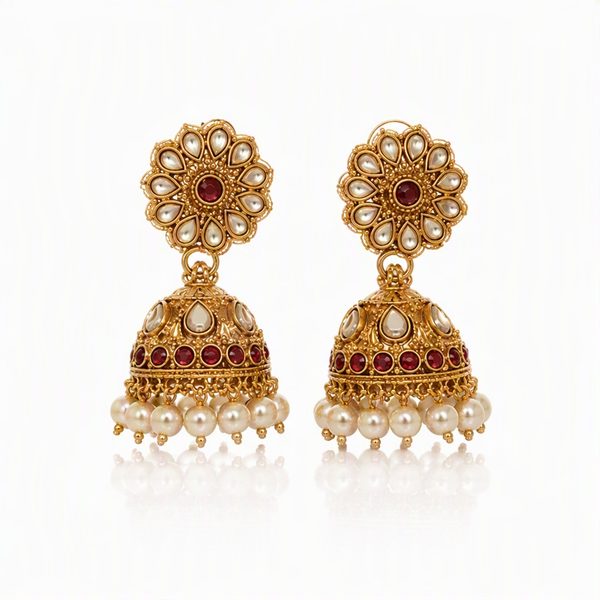
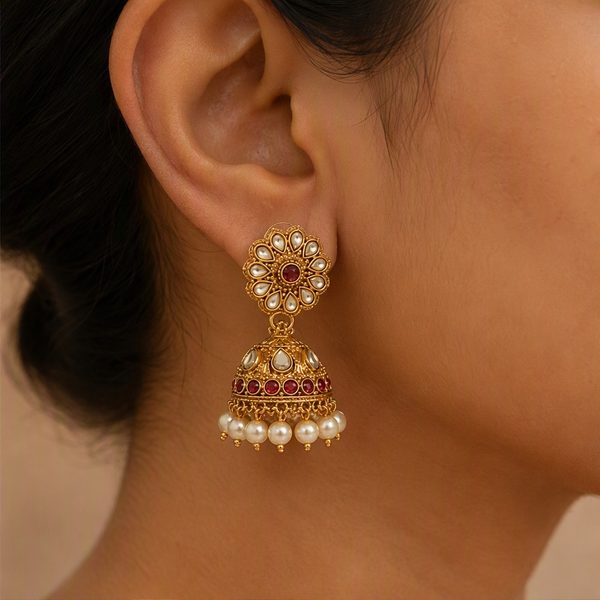
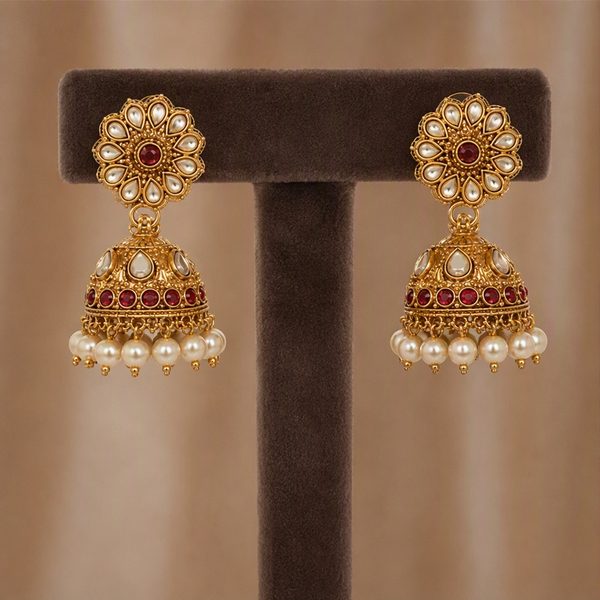
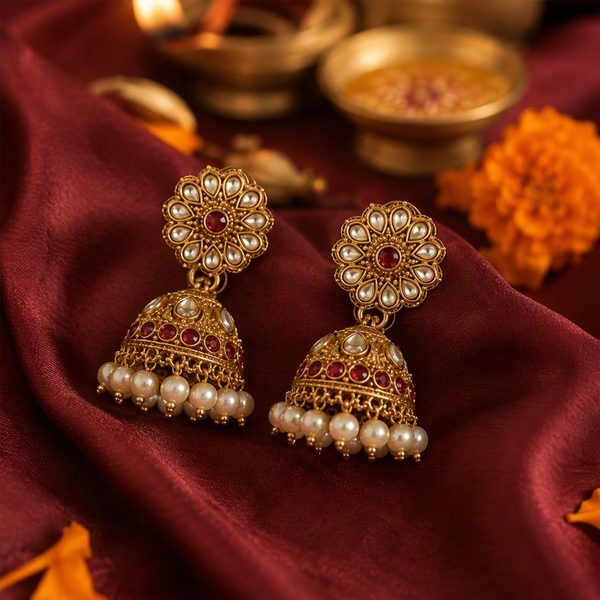
- White hero. The main image. It shows up in search results, so it must be clean, centred and on white.
- Worn. Earrings on an ear, a necklace on a bust or neckline, bangles on a wrist. This is what answers "how big is it?".
- Display or flat lay. An earring stand, a bangle roll or a velvet box. It shows the full piece and feels premium.
- Festive. Silk, diyas and marigolds. Festive and wedding buyers respond to the occasion, not just the product.
Step 1: Take one good phone photo
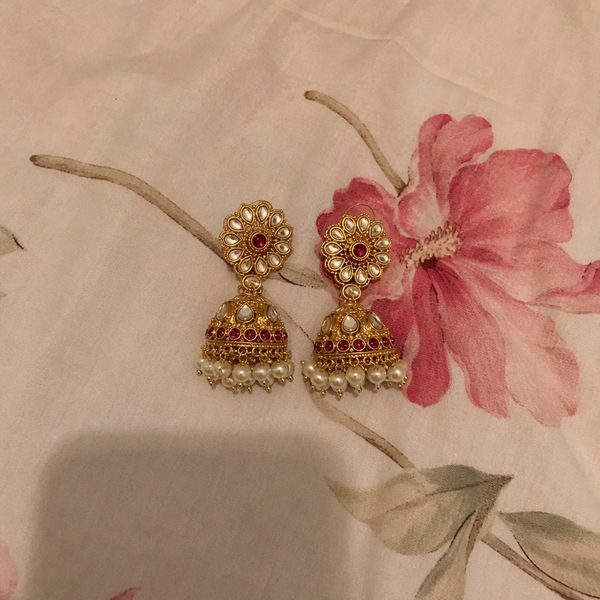
The AI can change the background, the light and the scene. It cannot invent detail that your photo does not have. These six habits matter more than the phone you own:
- Shoot near a window in daylight. Soft, indirect light. Avoid direct sun, tube lights and the flash, which all create harsh glare on metal.
- Use a plain, matte surface. A sheet of white paper or a plain cloth. No patterned bedsheets.
- One product or one pair per photo. No collages, no price stickers, no text on the photo.
- Leave a little space around it. The product should fill about half the frame and not touch the edges.
- Tap to focus on the product and hold the phone steady, or rest it on something. Wipe the lens first.
- Show it as it is. Both earrings of a pair, the full chain of a necklace, every bangle in a set.
The photo should be at least 400 pixels on its short side and under 10 MB. Every phone photo already is.
Step 2: Walk through it
Pick a product below and step through exactly what you do in Studio. These are real results from ordinary phone photos.
Walk through MeeShip Studio
Ordinary phone photo, plain surface, daylight.
Which shoot should you choose?
| Shoot | Credits | What you get | Best for |
|---|---|---|---|
| Single Shot | 1 | One scene you pick, 1024 × 1024 px | Trying Studio, or adding one missing photo such as a worn shot |
| Studio Set | 4 | Four different scenes from one shoot, 1024 px each | A complete new listing |
| HD Shot | 3 | One scene you pick, 1536 × 1536 px with more detail | Your main image, or products with fine stone work |
Each product type has its own four scenes, because what looks real is different for each: earrings must hang from an ear, a diya needs a flame, a keychain hangs from a hand.
| Product | Scenes |
|---|---|
| Earrings | White hero, worn, display stand, festive |
| Necklaces | White hero, on bust, on model, festive |
| Jewellery sets | White hero, bust with earrings, velvet box flat lay, festive |
| Bangles & bracelets | White hero, on wrist, bangle roll, festive |
| Keychains | White hero, in hand, lifestyle, gift box |
| Diyas | White hero, lit diya, rangoli, festive |
| Idols | White hero, mandir, living room, festive |
| Puja items | White hero, mandir, festive, lifestyle |
Step 3: Check every photo before you list it
Studio is instructed to keep the shape, colour, metal tone, stones and count of every bead exactly as in your photo. It usually does, but AI can still slip on very fine details. Before you upload:
- Count the stones, beads or drops against the real piece.
- Check the metal tone. Gold should not turn rose gold, and oxidised silver should stay oxidised.
- Make sure nothing was added, such as an extra chain or a matching ring.
Buyers return jewellery that does not match its photos, so this one-minute check protects your rating. For marketplace size and format rules, see our Meesho image size guide.
What it costs
When you sign in, you get 2 free Studio credits, enough for two Single Shots on your own products. After that, packs start at ₹99 for 10 credits (that is two full Studio Sets) and each pack is valid for 7 to 60 days. If a photo cannot be made, its credits are refunded automatically. See all packs on the Studio pricing page, or read how Studio works.
FAQs
- Can I shoot jewellery product photos with just a phone?
- Yes. Any recent phone camera is enough if you shoot in soft daylight on a plain matte surface, keep one product (or one pair) in the frame and tap to focus on it. MeeShip Studio then turns that one photo into white background, worn, display and festive scenes.
- Which photo should be the main image of a jewellery listing?
- Use a clean white background photo as the main image, since marketplaces show it in search results and most of them prefer white for the first photo. Put the worn, display and festive photos after it.
- Will the AI change the design of my jewellery?
- Studio is instructed to keep every stone, bead, chain and colour exactly as in your photo, and it usually does. AI can still slip on very fine details, so compare each photo with the real product before you list it.
- How much does MeeShip Studio cost?
- New users get 2 free credits. A Single Shot costs 1 credit, a Studio Set of 4 scenes costs 4 credits and an HD Shot costs 3 credits. Paid packs start at Rs 99 for 10 credits and are valid for 7 to 60 days, depending on the pack.
- What happens if a photo fails to generate?
- If Studio cannot make a photo, the credits for that shoot are refunded to your Studio balance automatically.
Turn your phone photo into a studio shoot
Sign in to MeeShip Studio and get 2 free credits, enough for two Single Shots.
Open MeeShip StudioRelated reads
HD AI Jewellery Product Photos in India: What You Get, What It Costs, How to Check It
Jewellery sellers want studio-quality photos without a studio. Here is what HD AI photos can do with one phone picture, the real limits, what a shoot costs in credits, and how to check the result.
White Background Product Photo for Meesho, Amazon and Flipkart: How to Make One
The first image on a listing is usually a clean product photo on white. Here is how to take or make one with a phone, which size to aim for, and how to avoid the mistakes that get images rejected.
Jewellery Ki Product Photo Mobile Se Kaise Banaye? (Bina Photographer, 2026)
Jewellery chhoti hoti hai, chamakti hai, aur flat photo mein buyer ko size samajh nahi aata. Mobile se ek achhi photo kheencho aur usse listing ki chaaron zaroori photos banao.